
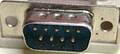
Hardware pinouts information and cables schemes

APC Smart UPS interface port pinout

connector wiring scheme

bookmark this page

may be used for building your own cable

Pin Signal Description
1 Shut Down (dumb mode) / RS-232 RX In (smart mode) Set high for 1-5 sec to activate shutdown.
2 Line Fail (dumb mode) / RS-232 TX Out (smart mode) On-battery power (normally low but goes high when the UPS switches to batteries)
3 Line Fail signal Mains down (normally low but goes high when line fail)
4,9 GND Ground, chassis
5 Low battery signal (normally low but goes high when low battery)
6 Line fail signal Inverse of pin 2 Line Fail signal
7 UPS Turn-on/off signal (on advanced UPSes only)
8 Unregulated +24 Vdc Out ??  

This information should be correct, but may be not. Please, help us to improve this document!
Is this document CORRECT or INCORRECT? Your opinion will be used to establish document status (showed at the bottom).

Want to add or correct something here? Edit this page!

Pinouts.ru > Some peripheral devices pinouts > Pinout of APC Smart UPS interface port and layout of 9 pin D-SUB male connector
Is it correct?:
unknown
Source(s) of this and additional information: UPS FAQ in russian
Contributor: , Ken
no reports
Last updated 2010-02-23 11:18:04. Edit this page. Is this document correct or incorrect? What is your opinion?
[Discuss at the forum] [Back to index] [SUBMIT new pinout]
This page contain parts under Copyright © 2000-2008 by pinouts.ru team.
No any portion of this webpage may be reproduced in any form without visible direct link to this page provided. Webmaster permission required in any other cases.
Efforts have been made to ensure this page is correct, but it is the responsibility of the user to verify the data is correct for their application.
30537 hits since March 4, 2005