

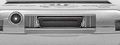
| Pin | Function |
|---|---|
| 01 | GND (shield), also on USB charger cable PCB |
| 02 | (completely unconnected on USB charger cable PCB) |
| 03 | +5.5V, also on USB charger cable PCB (red) |
| 04 | +5.5V, also on USB charger cable PCB (red) |
| 05 | +5.5V, also on USB charger cable PCB (red) |
| 06 | +5.5V, also on USB charger cable PCB (red) |
| 07 | +5.5V, also on USB charger cable PCB (red) |
| 08 | +5.5V, also on USB charger cable PCB (red) |
| 09 | (completely unconnected on USB charger cable PCB) |
| 10 | power out (PDA battery volts) completely unconnected on USB charger cable PCB |
| 11 | (completely unconnected on USB charger cable PCB) |
| 12 | leads to test pad on USB charger cable PCB, but unconnected?(usb enable, active low) |
| 13 |
(rs232 enable, active low) leads to test pad on USB charger cable PCB, but unconnected? |
| 14 | SEL (black), also leads to test pad and further line on USB charger cable PCB (tie to ground to enable power out of pin 10) |
| 15 | GND (shield), also on USB charger cable PCB |
| 16 | (completely unconnected on USB charger cable PCB) |
| 17 | (completely unconnected on USB charger cable PCB) |
| 18 | (completely unconnected on USB charger cable PCB) |
| 19 | (completely unconnected on USB charger cable PCB) |
| 20 | GND (shield), also on USB charger cable PCB |
| 21 | unknown, almost unused (someone said its GND (shield), but its most likely NOT correct: since the Axim inside picture doesnt show the usual ground layer non-connection, but rather a small line connecting to it - its some DATA signal!), also leads to unconnected test pad on USB charger cable |
| 22 | GND (shield), also on my USB charger cable PCB |
| 23 | GND (shield), also on my USB charger cable PCB |
| 24 | CTS TTL (orange), completely unconnected on USB charger cable PCB |
| 25 | RxD TTL (green), completely unconnected on USB charger cable PCB |
| 26 | DCD TTL (yellow), completely unconnected on USB charger cable PCB |
| 27 | DSR TTL (blue), completely unconnected on USB charger cable PCB |
| 28 | DTR TTL (brown), completely unconnected on USB charger cable PCB |
| 29 | RTS TTL(red), completely unconnected on USB charger cable PCB |
| 30 | TxD TTL (grey), completely unconnected on USB charger cable PCB |
| 31 | GND (shield), also on USB charger cable PCB |
| 32 | unknown, unused? (no line seen on inside picture either), completely unconnected on USB cable PCB |
| 33 | unknown, unused? (no line seen on inside picture either), leads to big test pad on USB cable PCB |
| 34 | GND (shield), also on USB charger cable PCB |
| 35 | USB Device, Data - (white), connected on USB charger cable PCB (white) |
| 36 | USB Device, Data + (green), connected on USB charger cable PCB (green) |
| 37 | GND (shield), also on USB cable PCB |
| 38 | unknown, unused? (no line seen on inside picture either), completely unconnected on USB cable PCB |
| 39 | unknown, unused? (no line seen on inside picture either), completely unconnected on USB cable PCB |
| 40 | GND (shield), also on USB cable PCB |
Axim X5 USB cable pinout
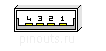
| Pin | USB Signal | Dell Axim pins |
| 1 | USB +5V | 5,6,7 |
| 2 | USB D- | 35 |
| 3 | USB D+ | 36 |
| 4 | GND | 12,15,23,31 |
Note that serial circuitry is powered down when no signal is on CTS of dell serial cable. Dell cable includes ttl to rs232 converter and cts enables pin 14 of axim.
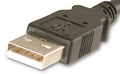
 correct
 incorrect