Hardware pinouts information and cables schemes

Apple 14 pin video pinout

video connector

bookmark this page
14 pin Apple PowerBook video connector layout
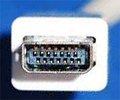
14 pin Apple PowerBook video connector
at the Apple computer, looking into cable-side connector

All Apple-manufactured Macintosh monitors except the 21-inch Color Display and Two-Page Monochrome monitor are supported.

PinSignalDescription
1RED.VID Red video 
2RED.GND Red video ground 
3MON.ID1 Monitor ID, bit 1 
4VSYNC/ Vertical sync 
5CSYNC/ Composite sync 
6C&VSYNC.GND Composite and vertical sync ground 
7GRN.GND Green video ground 
8GRN.VID Green video 
9MON.ID2 Monitor ID, bit 2 
10HSYNC.GND Horizontal sync ground 
11MON.ID3 Monitor ID, bit 3 
12HSYNC/ Horizontal sync 
13BLU.VID Blue video 
14BLU GND Blue video ground 
shellCHASSIS GND Chassis ground 

This information should be correct, but may be not. Please, help us to improve this document!
Is this document CORRECT or INCORRECT? Your opinion will be used to establish document status (showed at the bottom).

Want to add or correct something here? Edit this page!
Pinouts.ru > VGA, DVI, S-Video and other video connectors pinouts listing > Pinout of Apple 14 pin video and layout of 14 pin Apple PowerBook video connector
Is it correct?:
should be correct
Source(s) of this and additional information: Apple "Ports and Pinouts"
2 reports
Last updated 2008-06-28 21:56:54. Edit this page. Is this document correct or incorrect? What is your opinion?
[Discuss at the forum] [Back to index] [SUBMIT new pinout]
This page contain parts under Copyright © 2000-2008 by pinouts.ru team.
No any portion of this webpage may be reproduced in any form without visible direct link to this page provided. Webmaster permission required in any other cases.
Efforts have been made to ensure this page is correct, but it is the responsibility of the user to verify the data is correct for their application.
18421 hits since March 4, 2005